Discover the new hinge technology for the Samsung Galaxy Z Flip5 and Fold5
Important Note: The information on this page is for Hong Kong products only. Models, sequences or settings will vary depending on location and/or where the product had been purchased. To be redirected to your local support page please click here.
Introducing the all-new Galaxy Z Flip5 and Fold5, now sleeker than ever! These additions feature a state-of-the-art hinge technology, delivering an incredibly smooth fold with virtually no gap. Explore this remarkable feature that pushes the limits of what foldable devices can accomplish.
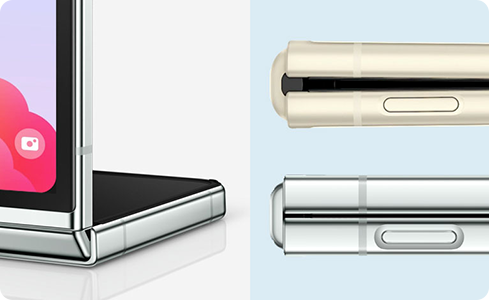
Slimmer design with greater portability
Experience the seamless motion of the Flex hinge when opening and closing the Galaxy Z Flip5 and Fold5. This cutting-edge mechanism with its user-centric design allows the phone to lie perfectly flat when needed, whilst minimising the gap when closed. The smoother movement of the hinge enhances the overall user experience, making it effortless to access the larger screens of both devices.
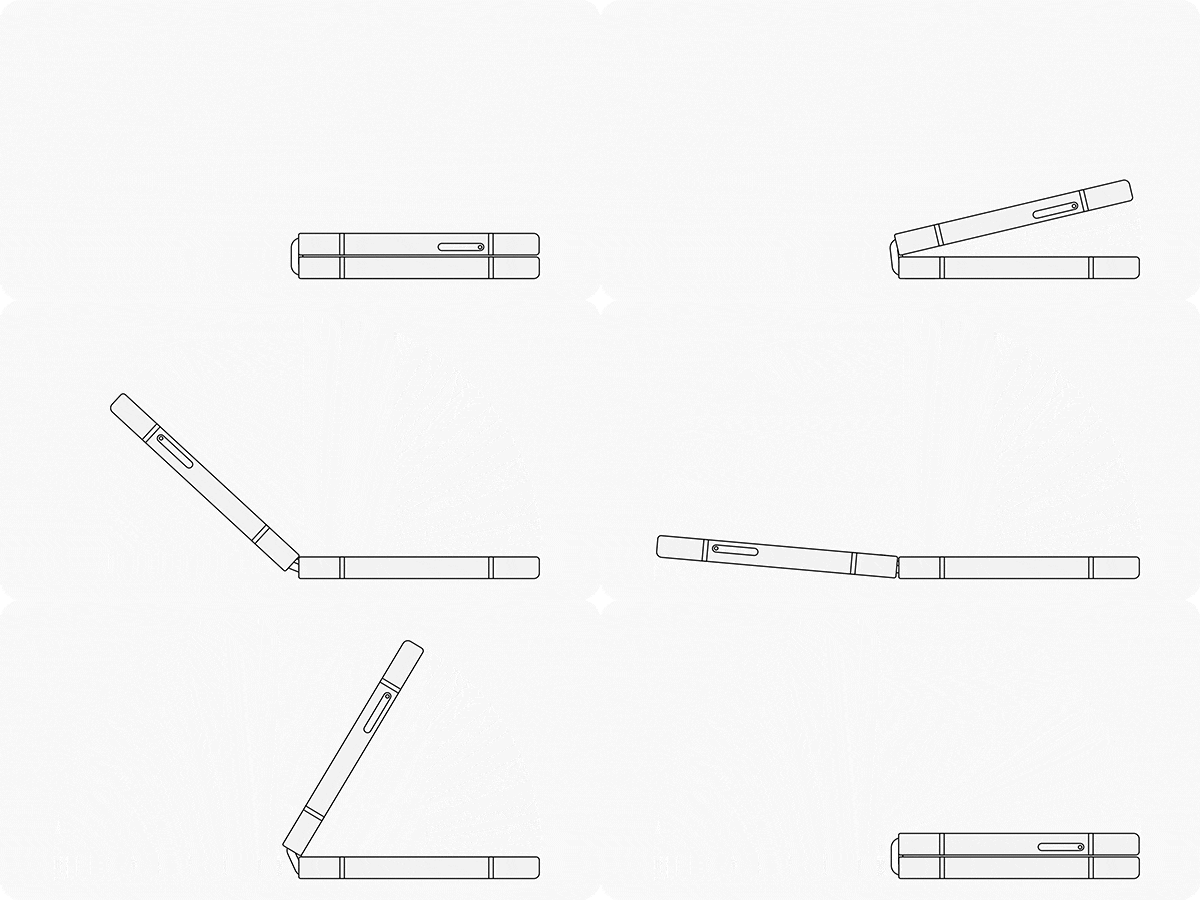
Note: When compared to previous Z series models, the new hinge on the Galaxy Z Flip5 and Fold5 may feel slightly loose while opening and closing, which is because of the new Flex hinge technology's improved, smoother motion.
The new and improved hinge technology
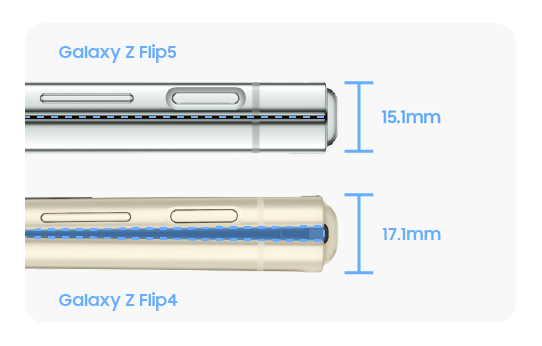
The new hinge allows the screen to close completely while virtually removing the gap in-between.
① Display
② Flex hinge
③ Previous hinge


Galaxy Z Flip4 vs. Flip5
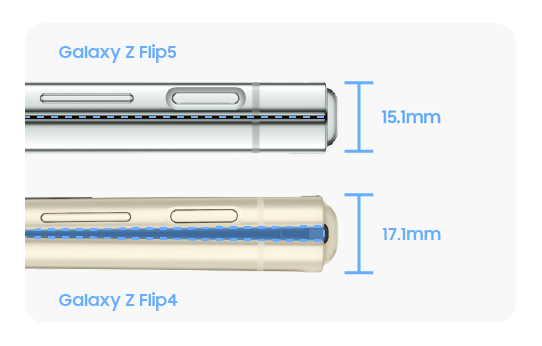
Galaxy Z Fold4 vs. Fold5
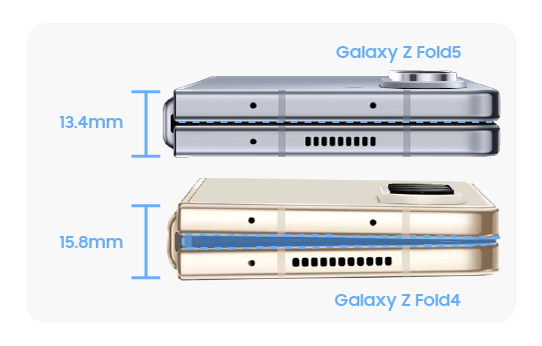
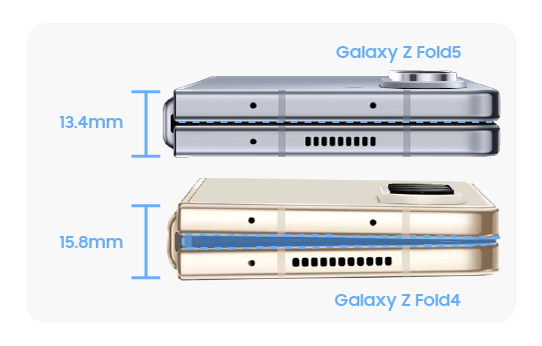
Note: It is normal for the crease in both the Z Flip5 and the Z Fold5 to appear slightly larger compared to previous models because of the new hinge technology.
Flex mode standard range for Galaxy Z series
The Flex mode is designed to function within a standard range of 75 to 115 degrees. Please note that if the hinge is set outside of this range, it may not securely hold its angle.


The standard angle when fully opened ranges between approximately 178.5 to 181.5 degrees. Please note that third-party covers and accessories may affect the range of motion. Avoid applying excessive force when opening or closing the device.


Note: For more information, please see our list of frequently asked questions.
If the above information does not match what your product is showing, you may check the User Manual for your product. If you are unable to solve the problem, please contact us for further assistance.
Thank you for your feedback!
Please answer all questions.
RC01_Static Content : This text is only displayed on the editor page