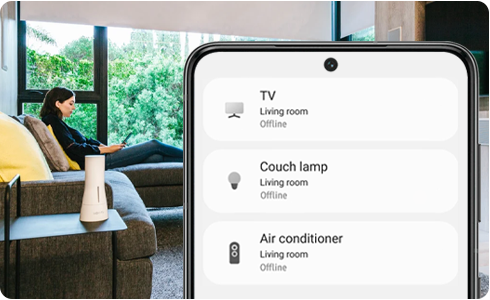
Devices connected to my SmartThings hub appear offline
Important Note: The information on this page is for Hong Kong products only. Models, sequences or settings will vary depending on location and/or where the product had been purchased. To be redirected to your local support page please click here.
The settings of your Wi-Fi access point (AP) may have changed:
Disconnect the power from your devices, then reconnect and check status on your SmartThings hub.
If your Wi-Fi AP is configured to support 5Ghz frequency band only, try changing the Wi-Fi AP settings to include support for 2.4Ghz frequency band.
The Wi-Fi AP name may be hidden.
Move the SmartThings Home Hub closer to your Wi-Fi AP.
Update the Wi-Fi settings on the SmartThings Home Hub.
- Run SmartThings app > Select SmartThings Home Hub.
- Tap More button (+) in top right corner > Settings > Wi-Fi > Update Wi-Fi settings.


Step 1. Tap ¨SmartThings Home Hub¨.


Step 2. Tap More (+) and then tap ¨Settings¨.


Step 3. Tap “Wi-Fi”.


Step 4. Tap ¨Update Wi-Fi information¨.


Step 5. Tap ¨Done¨ when the information has been updated.
If after following these steps, you are still experiencing connection problems with your devices:
- Reset your SmartThings Home Hub.
- Delete and Re-register the Home Hub device from the SmartThings app.
- Reconnect.
If the above information does not match what your product is showing, you may check the User Manual for your product. If you are unable to solve the problem, please contact us for further assistance.
Thank you for your feedback!
Please answer all questions.
RC01_Static Content : This text is only displayed on the editor page